
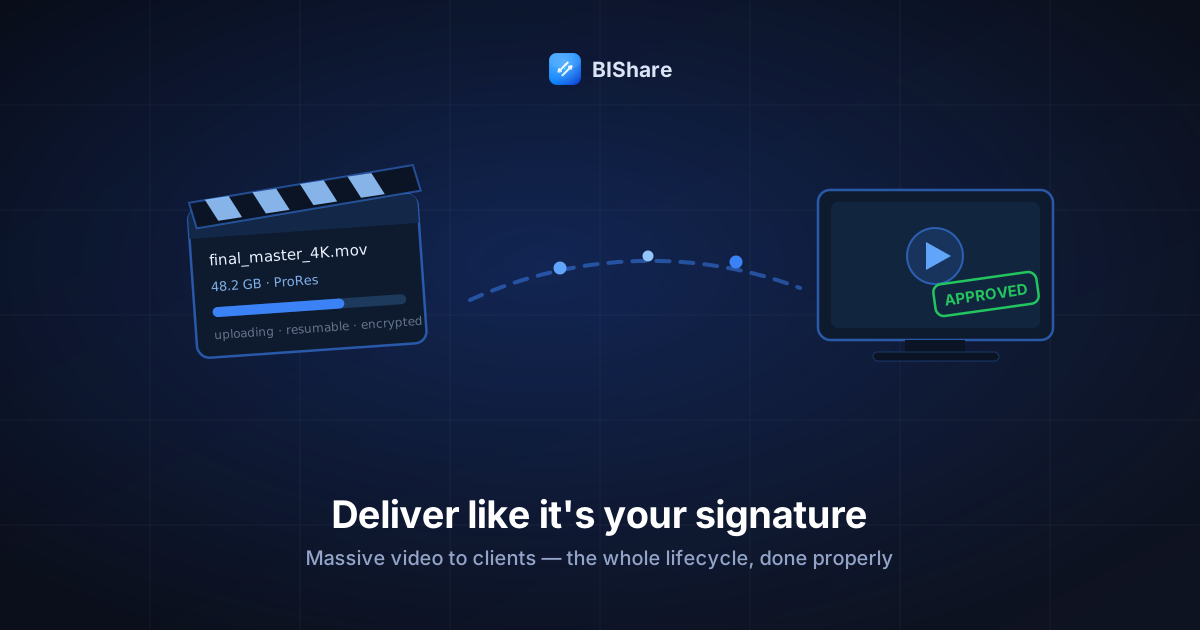
There are two kinds of video deliveries. In the first, the client gets a link, the master lands on the first try, the byte counts match, and the invoice goes out with the glow of a job that ended cleanly. In the second, there's a 2 a.m. re-upload, a "it says the file is corrupted?" text, a WeTransfer link that expired over the client's long weekend, and a creeping feeling that the last mile of a three-week project is where your reputation actually lives.
Every working editor and filmmaker has lived both, usually in the same year. The difference between the two is almost never the tool. It's that the first delivery was designed — decided before export day, executed as a sequence, verified with numbers. So this playbook is built the way real client work is: as a lifecycle. Five stages, from the kickoff call to the archive handoff, each with its own craft and its own classic failure. Tools appear where they belong inside the stages, ours included, judged by the same standards as everything else.
One scope note before stage one: this is about delivery — moving finished, full-quality video to the person who paid for it. The review loop (comments, timecodes, version threads) is an adjacent job with its own excellent tools; we'll place it properly in stage four rather than pretending a transfer link replaces it.
Stage 1: Before the shoot — agree the pipeline while everyone still likes each other
The cheapest minute of the whole delivery happens in the kickoff conversation, and almost nobody spends it. Three questions, asked early:
"How do you want to receive the final files?" Some clients have a company Drive and a policy; some have an FTP inherited from 2009; most have no opinion and will gratefully accept yours. Knowing this on day one means export day has no surprises — and if their answer is "email it," you now have weeks instead of hours to gently explain why that can't happen.
"Who actually downloads it?" The person who hired you is often not the person who fetches files. If the real recipient is an assistant, an agency's traffic manager, or a broadcast ingest desk, get that name now — deliveries addressed to the wrong inbox age poorly.
"Any size, format, or security requirements?" Broadcast and agency clients sometimes carry delivery specs (codecs, naming, checksums) and security postures (no consumer links, NDA'd material). Discovering a "no third-party file sharing" policy after the master is uploaded somewhere is a special kind of Friday.
Write the three answers into the project notes where future-you will actually look. Congratulations: your delivery now has a spec, which puts it ahead of most of the industry before a single frame exists.
The dry run. For a new client, send a tiny test file through the agreed channel in week one — a title card, a slate, anything. Sixty seconds that flushes out the corporate firewall, the spam filter, the "I don't have an account" moment, on a day when none of it matters. Pilots do walkarounds; deliveries deserve one too. And the dry run doubles as quiet marketing: a client who watches a test file arrive cleanly in week one stops worrying about the finale, which is worth more than any status update you could write.
Stage 2: Export day — the file itself decides half your fate
The delivery starts inside the editing suite, before any uploading:
Name the file like it will be found in a folder two years from now — because it will. ClientName_Project_Master_4K_v3_2026-09-05.mov answers every question a stranger could ask; final_FINAL2.mov is a confession. Version numbers beat adjectives: there is always a version after "final." Date-stamp in ISO (2026-09-05) so filenames sort themselves in every folder on earth.
Know your exact number. Right-click, get the size in bytes, write it down. That figure is about to become your delivery's fingerprint — the thing both sides compare to declare victory. A 48.2 GB master isn't "about 48 gigs"; it's 48,213,467,136 bytes, and matching that number on arrival is what "delivered" means.
Decide the deliverable bundle deliberately. Master alone? Master plus a web-friendly H.264? Plus stems, captions, a poster frame? Clients quietly love receiving the small version alongside the master — the file they can actually play in a meeting — and it costs you one export preset. Bundle the set as one folder with a structure, not as a loose flock of attachments.
And the upload-side physics: wire the workstation in, or claim the seat near the router. From the arithmetic we published: a 48 GB master at 20 Mbit/s up is five-plus hours; at 100 Mbit/s it's about an hour; on the wrong end of weak Wi-Fi, double everything. The export render and the upload are the two long poles of delivery day — schedule them like the renders they are.
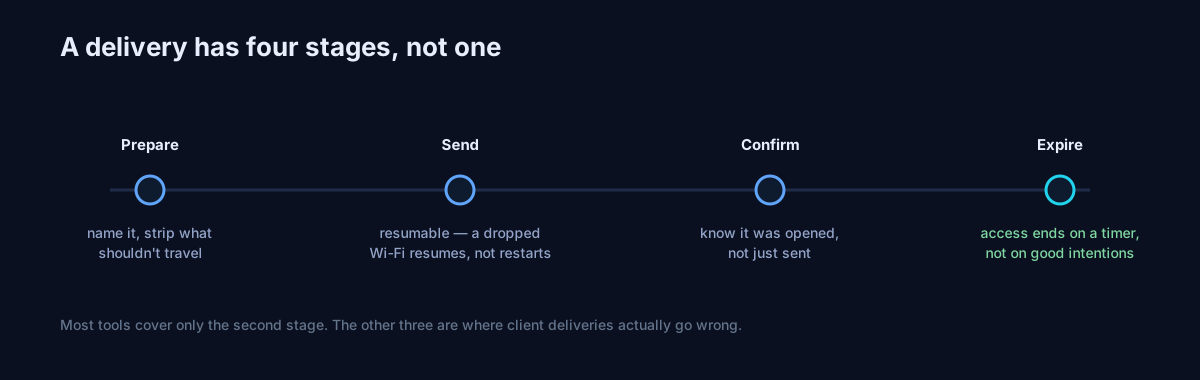
Stage 3: The handoff — one link, one manifest, one confirmation
The centerpiece stage, and the shortest, because the work was front-loaded:
Upload to a channel with three properties: encrypted, resumable, account-free for the client. This is where we'd use our own tool, and the criteria say why better than we could: BIShare's transfer encrypts in the browser before upload (the relay holds ciphertext — for client work under NDA this isn't a luxury, it's table stakes), uploads are chunked so a blip resumes rather than restarts (at 48 GB, resume is the difference between an incident and a hiccup), and the client-side experience is a link that downloads in any browser — no account, no app, no interstitial selling them anything over your delivery. Masters under 10 GB travel free in one piece; a ProRes monster splits by reel or by deliverable, batch by batch, seams chosen by meaning.
Send the manifest with the link. The habit from the 10 GB playbook, tuned for clients — one message:
Final delivery:
ClientName_Project_Master_4K_v3.mov— 48.2 GB — link expires Friday 18:00. Also included:_web.mp4(1.1 GB) for easy viewing. Please download tonight if possible and confirm the master shows 48.2 GB when done.
File, size, expiry, action. Four facts that preempt approximately every clarifying email ever written.
Close with a number, not a vibe. "Got it, plays great" is a feeling. "Master downloaded, 48.2 GB, plays great" is a delivery. Ask for the number in the manifest and clients provide it happily — most have simply never been told what a real confirmation looks like.
When the client is in the building: skip everything above. A direct local transfer puts 48 GB onto their laptop over the office network in minutes — the upload/download pantomime across the internet, for two people in one room, is the industry's most rehearsed absurdity.
Timezones deserve one sentence of planning. A link minted at your 18:00 with a 24-hour expiry dies at the overseas client's awkwardest hour. Mint against their clock — expiries landing at their end-of-business — and say the deadline in their timezone in the manifest. Small courtesy, outsized impression.
Interlude: the other direction — when the massive files come to you
Half of client video work is receiving: production hands the freelance editor 300 GB of raw footage, and suddenly you're the delivery target. The intake craft mirrors the outbound playbook with three additions:
Verify on receipt like money. Count the cards, compare each transfer batch's size against the sender's manifest — and if they didn't send one, reply with your own tallies and ask for confirmation. "Received 6 batches, 287.4 GB total, matches?" makes you the most organized person on the production before you've cut a frame, and it timestamps the moment responsibility for the material transferred to you.
Never let the delivery be the only copy. A transfer's landing spot is a waypoint with an expiry date, not a place footage lives. Raw footage goes onto your edit drive and a second location before the source links expire — because "can you re-send card A007?" has a shelf life, and it's shorter than your edit schedule. This is the two-places rule wearing its work clothes.
At raw scale, negotiate the physical. Three hundred gigabytes over a residential connection is a day of downloading; the same drive couriered or picked up is an errand. The professional move is doing this math out loud in the kickoff call — "footage over 100 GB, let's do a drive handoff or an office visit with a direct transfer; under that, links are fine" — so nobody discovers the physics on day one of the edit.
What the numbers look like for common deliverables
To make export-day scheduling concrete, the sizes and upload times that recur in client work (times at a 20 / 100 Mbit/s uplink respectively):
- 60-second social cut, H.264 1080p: ~100–200 MB — a minute or two either way; deliveries this size need no planning, only naming discipline.
- 10-minute corporate film, H.264 4K: ~3–6 GB — 25–60 minutes on slow cable, a coffee on fiber. The classic single-link delivery.
- 10-minute master, ProRes 422 4K: ~50–70 GB — five-plus hours on 20 Mbit/s, about an hour on fiber. This is the deliverable that decides whether you wire in, split by reel, or walk it over.
- 30-minute documentary master: 150 GB+ — internet delivery becomes an overnight scheduled job or a physical handoff; either is professional, deciding late is not.
The pattern to internalize: H.264 deliverables are link-sized; ProRes masters are logistics. Quote timelines accordingly, and when a client asks for "the ProRes by tomorrow morning," you'll answer with arithmetic instead of anxiety. ("The upload alone is five hours on my connection — it'll be live by 9 a.m. if I start it tonight" is a sentence that has never once sounded unprofessional.)
Stage 4: The revision loop — where deliveries multiply
Version two is where undisciplined deliveries go to die, because now there are multiple masters in the world and a client with a folder full of similar names.
The wrong-cut recall. Every working editor eventually sends the wrong version — the un-color-graded export, the cut with the scratch audio. This scenario is literally why our transfers carry a private delete token: every link you mint can be killed early from your uploads list, instantly, before or after the client has seen it. Send v3, spot the error, revoke, re-send — the dead link 404s and the fresh manifest names the new version. A mis-send that dies in sixty seconds is an anecdote; one that lives over a weekend is a version-control incident with your name on it.
One version, one link, one expiry. Never "the same link, re-uploaded"; never two live links to different versions. Version truth is a chain of custody, and chains with two ends aren't chains. The old link should be expired or revoked when the new one ships, and the manifest should say so: "v4 replaces v3 — the old link is dead." You're not being fussy; you're being the only person in the thread who knows which file is real.
Put review where review belongs, and say which is which. For comment-and-timecode feedback, a dedicated review platform like Frame.io or Vimeo's review tools is the right machine — streaming proxies, threaded notes, version stacks. The division of labor that works: review on the review platform, delivery of the full-quality master by transfer link. Confusing the two produces the classic failure — clients approving a streaming proxy and then asking why the "final" they downloaded is 80 MB.
Stage 5: Project end — the archive handoff
The final delivery isn't the master; it's the ending. Two moves distinguish professionals:
The archive handoff. Offer the client their material — masters, selects, project files if contracted — as one final, structured, verified delivery, and state your own retention honestly: "I keep project archives for 12 months, then they're deleted." That sentence has saved countless relationships eighteen months later, in both directions — the client who assumed you kept everything forever, and the one alarmed that you might. Retention stated is retention agreed. The 3-2-1 habit applies to your copy of client work exactly as it applies to family videos: the version you keep should never be the only version anywhere.
The links audit. Sweep your transfer history at project close — ours lives right on the transfer page under your uploads: anything still live that shouldn't be? Expiries and one-time downloads do this housekeeping automatically — which is the real argument for expiring links in client work. A delivery system whose default state is nothing left lying around is a security posture you don't have to remember to maintain.
Delivering to a committee — when "the client" is five people
Agency and in-house work adds a multiplier: the approver, the traffic manager, the social team, and someone's boss all "need the files," and forwarding one link around produces the classic diffusion of responsibility — everyone assumes someone downloaded it; the link expires unfetched.
Two clean patterns, both better than the forwarding lottery. The addressed delivery: one link per named recipient with their own manifest line — slower to send, but each download is attributable, and "who has it?" always has an answer. The shared room: for teams that genuinely collaborate, a BIShare room gives the group one place where the deliverables sit for the session — everyone pulls what they need, you watch it happen, and the room closes when the handoff ends. The anti-pattern to refuse politely: "just put it in our shared folder" for a final delivery — that's custody without a receipt, and stage five's links audit can't audit a folder you don't control.
The paragraph to send clients who've never received big files
Steal this verbatim and adapt the numbers — it's the client-education message we'd want on the other end, and it turns first-time recipients into smooth ones:
Quick note on the delivery: the final files are large (48 GB), so they'll arrive as a download link rather than an attachment. The link works in any browser — no account or app needed — and expires Friday, so please download when convenient before then. Best on a computer with a stable connection and enough disk space (50 GB free to be safe). When it finishes, check the file shows 48.2 GB — that's how we both know it arrived perfectly. Any hiccup, tell me the exact message you see and I'll sort it in minutes.
Five sentences: what's coming, how it works, the deadline, the environment, the verification. Every element of this playbook, translated into recipient-speak — and clients who receive this message once tend to quote it back to their vendors forever.
The money stage nobody writes down
Delivery and payment are entangled for freelancers, and pretending otherwise produces the industry's most awkward email threads. The pattern that keeps both relationship and invoice intact:
Review freely, deliver on completion of terms. (Assuming your contract is silent, that is — where the contract speaks, the contract wins, always.) Streaming proxies and watermarked previews through the review platform cost you nothing to share and give the client everything they need to approve — while the full-quality master travels when the agreed milestone (approval, payment, whatever the contract says) is met. This isn't hostage-taking; it's the same sequencing every industry uses between "inspect the goods" and "own the goods," and stating it in the kickoff call makes it boring instead of tense.
Expiring links are quiet leverage — use them gracefully. A master delivered on a 7-day link during a payment dispute ages differently than one parked forever in a shared Drive folder. You never have to mention this dynamic; the default behavior of professional transfer tools simply leaves fewer permanent copies in ambiguous custody. And when the invoice clears and the client asks for a re-send eight months later? Mint a fresh link in thirty seconds and be remembered as gracious — the archive you kept in stage five was for exactly this.
The failure gallery — five classics, prevented in one line each
- "Link expired over the weekend" → expiries stated in the manifest, sized to human schedules, links re-mintable in seconds.
- "Download failed at 90%" → resumable transfers plus a client on a real connection; at worst, the retry starts at 90%, not zero.
- "It says corrupted" → nine of ten times an incomplete download: compare bytes against the manifest before debugging codecs.
- "Which file is the final?" → version-numbered names, one live link per version, dead links actually dead.
- "Our IT blocks the site" → discovered in the week-one dry run, not on delivery night — see stage one, which was always the point.
- "I downloaded it twice and now I'm confused" → one live link per version, everything else revoked; confusion requires two truths to exist.
- "Can you send it again?" (month four) → stage five's archive plus a fresh thirty-second link — the request that separates archivists from apologizers.
The bottom line
Massive video delivery has a reputation for drama it stopped deserving years ago — the tools matured, the bandwidth arrived, and what remains is simply whether anyone designed the last mile. The craft is a lifecycle: agree the pipeline early, export with the delivery in mind, hand off with a manifest and a matching number, keep the revision loop to one live truth, and end the project like an archivist. The tools inside the stages are almost boring by comparison — an encrypted, resumable link for distance, a local transfer for the same room, a review platform for opinions.
Your next master deserves the first kind of delivery — the clean one. Set the pipeline this week, dry-run it in sixty seconds, and let the last mile of the project sound exactly like your work: finished. Clients rarely mention a flawless delivery, and that's the tell — the last mile done right is invisible, and invisible is what "professional" has always meant.