
Clipboard sync
Copy on your phone, paste on your PC
Every big platform has clipboard sync, and every one of them asks for something first: the same Apple Account, the same Microsoft account, the same Google account, or a subscription. This page explains what each one actually requires, then shows how to share a clipboard between an iPhone, an Android phone, a Windows PC, a Mac and a Linux box without signing in to anything — because on the same Wi-Fi, the copy never has to leave the network at all.
Quick answer
- Between Apple devices: Universal Clipboard is already on. Apple's requirement is that every device is signed in to the same Apple Account with Bluetooth, Wi-Fi and Handoff turned on.
- Between Windows PCs: press Windows logo key + V, then turn on "Clipboard history across your devices". Microsoft ties that sync to your Microsoft or work account, and the history travels through their cloud.
- Across the mix — iPhone, Android, Windows, Mac, Linux: none of the built-in options crosses that line. Install BIShare on both devices, turn on clipboard sync in Settings, and anything you copy on one appears on the other. No account, and on the same network nothing is uploaded.
- The catch worth knowing: BIShare's clipboard works between devices on the same Wi-Fi. Away from that network, send the text or picture as a link instead.
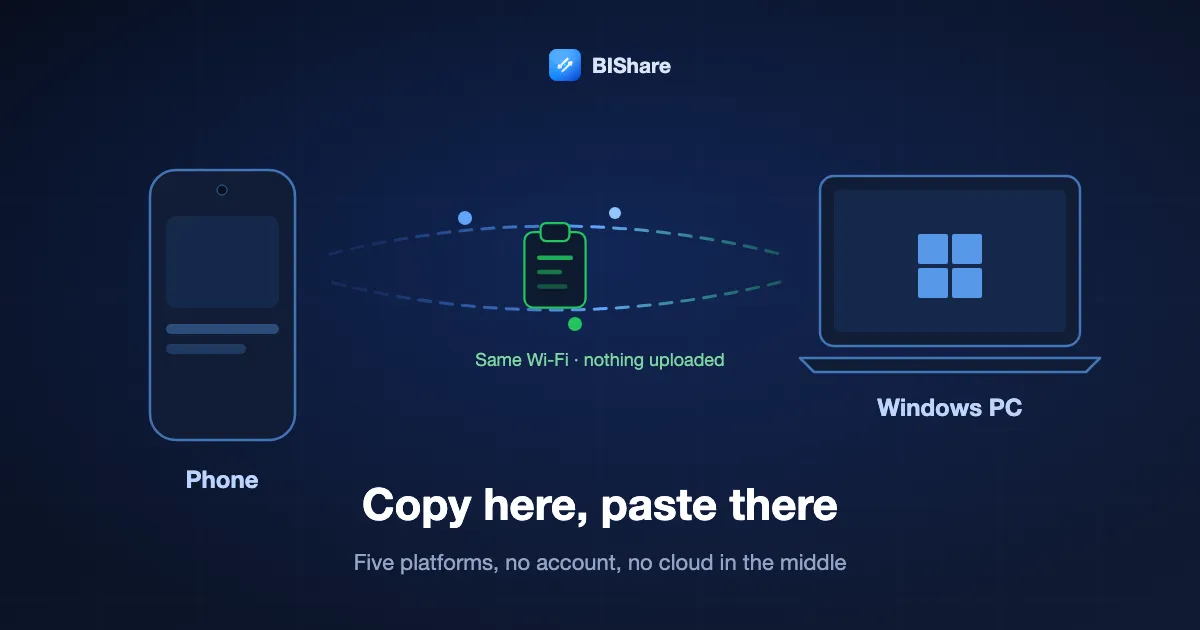
Every built-in clipboard sync is a loyalty test
Clipboard sync is not hard to build. It is hard to get across brands, because each implementation is a feature of an account system rather than of your network. Read on each vendor's own page on 18 September 2026:
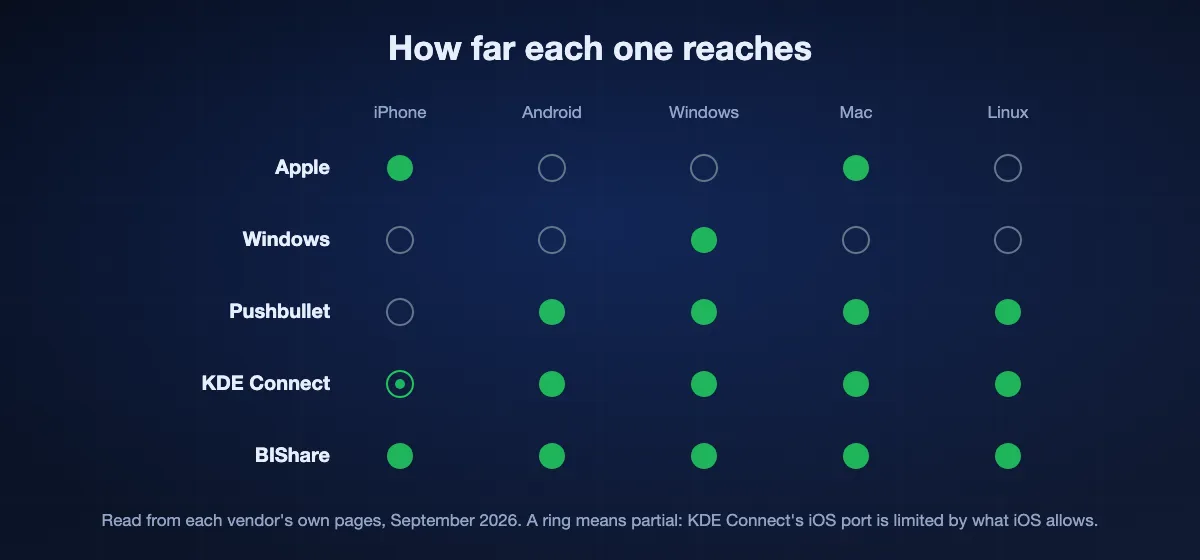
- Apple. Universal Clipboard needs every device signed in to the same Apple Account, with Bluetooth and Wi-Fi on and Handoff enabled. It reaches a Mac, iPhone, iPad or Vision Pro, and stops there. An Android phone on the same desk is not addressable.
- Microsoft. Windows will sync clipboard history between your machines, and its own help page is direct about the price of entry: the sync feature is tied to your Microsoft account or your work account, so the same login has to be used everywhere. The history is stored in their cloud, which is also what makes "clear everything, including the cloud copy" a button they had to add.
- Google. Clipboard sharing rides along with the keyboard and a Google account rather than with the operating system, which is why it behaves differently depending on which app you are typing in.
- Pushbullet. It does cross platforms, and universal copy and paste is one of the features behind Pro — reported at $4.99 a month or $39.99 a year. The mechanism is the same as the others: your clipboard goes through a company's servers.
- KDE Connect. The honourable exception, and the closest in spirit to what we do: free, open source, and it works over your own network rather than an account. Its reach depends on which platform build you can get, and its iOS app is limited by what iOS allows.
There is nothing sinister in any of this. An account is simply the cheapest way for a large company to know which devices are yours. It is not the only way — two devices that can see each other on a network already know.
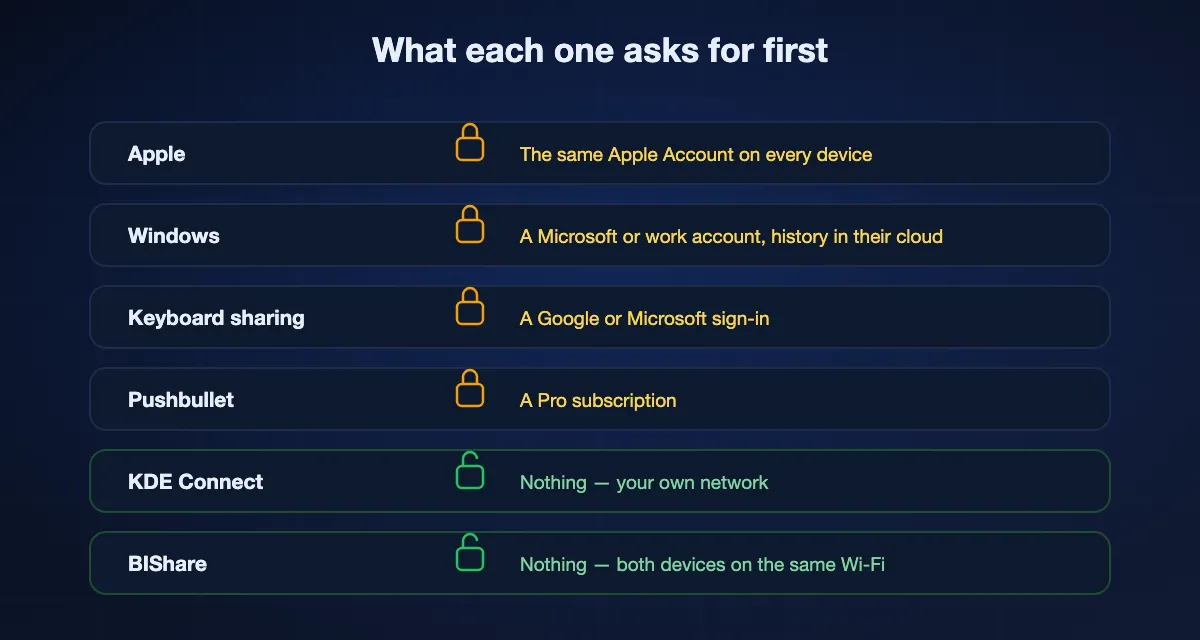
What each clipboard sync asks for
Requirements as published by each vendor, read 18 September 2026.
| Devices it reaches | Needs an account | Where the copy goes | Cost | |
|---|---|---|---|---|
| Apple Universal Clipboard | Mac, iPhone, iPad, Vision Pro | Same Apple Account | Between your devices | Included |
| Windows clipboard history | Windows PCs | Microsoft or work account | Microsoft's cloud | Included |
| Keyboard-based sharing | Where that keyboard runs | Google or Microsoft account | The vendor's servers | Included |
| Pushbullet | Android, Windows, Mac, Linux | Pushbullet account | Pushbullet's servers | Pro, reported $4.99/month |
| KDE Connect | Android, Linux, Windows, Mac, limited iOS | No | Your own network | Free, open source |
| BIShare | iPhone, Android, Windows, Mac, Linux | No | Your own network | Free, open source |
Where we lose, plainly: the four account-based options above keep working when you carry the laptop to a café, because they route through a server. BIShare's clipboard is a same-network feature. Off that network, send it as a link instead.
Turning it on, on both devices
Clipboard sync is off until you ask for it. That is deliberate — reading the clipboard is not something an app should start doing on its own — so it takes a switch on each device you want in the group.
- 01
Install BIShare on both
iPhone, Android, Windows, Mac or Linux. The pair does not have to match: a Windows laptop and an iPhone is the case this exists for.
- 02
Put both on the same Wi-Fi
The same network your printer is on. Guest networks usually block devices from seeing each other, which is the single most common reason the two never pair.
- 03
Settings, then clipboard sync
Turn it on. Images have their own switch underneath, along with a size limit, because a screenshot is a hundred times the size of the sentence you were copying.
- 04
Copy something
Copy a line of text on the phone and press paste on the computer. Nothing to press in the app, no button to send: the copy is the send.
What actually travels
- Text, including anything that behaves like text — a URL, an address, a one-time code, a paragraph you want on the other screen without emailing it to yourself.
- Images, as a separate switch with its own size ceiling. A copied picture is staged on the sending device and the other one fetches it over the network; the fetch token works once and expires after a minute, so a copy announced on your network is not a file anyone can come back for.
- A history, kept on the device so you can pick something you copied a few minutes ago. It is a rolling list, not an archive.
- Nothing you have not copied. There is no background scan of messages or photos. The app reacts to the clipboard changing, which only happens when you press copy.
Files are a different job: a copied file is best sent as a transfer, and between devices in the same room that runs at Wi-Fi speed with nothing uploaded.
The pairs people actually ask about
Almost every search for this names two specific devices. Here is where each pair stands today.
Android phone and Windows PC
The most asked and the best served by the platforms: Microsoft's Phone Link offers copy and paste between a linked Android phone and a PC once the phone is paired and the feature is switched on. It is Windows-only on one end and Android-only on the other, and it goes through a Microsoft account. BIShare covers the same pair without the account, and the same install also covers the Mac and the iPad you may add later.
iPhone and Windows PC
Nothing built in does this. Universal Clipboard stops at Apple hardware and Windows clipboard history stops at Windows. This is the pair a cross-platform app exists for, and the one where people usually end up emailing themselves a link instead.
iPhone and Android phone
Also unserved by either platform. Two phones on the same Wi-Fi with the app installed will do it; so will a phone hotspot when there is no shared network.
Phone and Linux
KDE Connect has covered this for years and does it well. BIShare is the option if you also want the iPhone in the group, since KDE Connect's iOS app is limited by what iOS permits.
Two computers
Windows to Windows is handled by clipboard history; Mac to Mac by Universal Clipboard. Windows to Mac, or either to Linux, is not handled by either, and is the case moving files between computers runs into as well.
What leaves the device, and what does not
A clipboard is an unusually personal thing to synchronise. It carries the password you just pasted, the address of the place you are going tonight, the code from your bank. That is worth being precise about, so here is the whole of it.
- On the same network, nothing is uploaded. The copy is announced directly to the other devices over your own Wi-Fi. It does not pass through us, and there is no copy of it on any server to delete later.
- Only devices running BIShare on that network are told. Not everything on the Wi-Fi — the other device has to be running the app with the same switch turned on.
- Off by default, and reversible. Turn the switch back off and the app stops reading the clipboard. The history is local, and clearing it clears it.
- An image is fetched once, then gone. The copy is announced with a token that the other device redeems; it works a single time and expires after a minute, so the same announcement cannot be replayed later.
Since version 2.5.6, what crosses your network is encrypted. Each clipboard copy is sealed for one device with AES-256-GCM, under a key the two devices derive from each other's X25519 keys, so a capture of the network shows nothing readable. Both devices need 2.5.6 or later: a newer app refuses to sync with an older one rather than fall back to plain text, so update both ends. On Android and Mac, a copy the system marks as secret — a password manager's, for instance — is never synced at all.
The honest boundary: anyone who is already on your network and running BIShare will receive what you copy. On a home or office network that is the point. On a shared network you do not control — a co-working space, a hotel — leave it off, and read how the rest of the transfer security works before you decide.
When the other device never gets it
Almost every failure here is the network refusing to let two devices see each other, not the clipboard itself. In order of how often it turns out to be the answer:
- Guest Wi-Fi, or client isolation. Many routers, and nearly every café and hotel, stop devices on the network from talking to each other. Nothing running on that network can fix it. Use your own network, or a phone hotspot.
- Different networks that look like one. A router advertising the same name on 2.4 GHz and 5 GHz usually bridges them, but a mesh with a separate guest SSID, or a laptop on Ethernet while the phone is on a guest band, will not.
- Windows has the network marked Public. On a public profile Windows blocks the local discovery this depends on. Set the network to Private in Windows settings.
- A VPN is on. A full-tunnel VPN takes the device off the local network as far as discovery is concerned. Switch it off, or allow local network access in the VPN's own settings.
- iOS has not been given local network permission. iOS asks once, early, and if it was dismissed the app cannot see anything on the Wi-Fi. It is in iOS Settings under the app, as "Local Network".
The same conditions decide whether device-to-device file transfer works, so if sending a file between the phone and the PC already works, the clipboard will too.
What people use it for every day
Clipboard sync is not a feature anyone gets excited about in a list. It earns its place by removing a small daily annoyance several times a day.
The code from the phone
A verification code arrives on the phone and belongs in a browser on the computer. Copy it, paste it, done — without typing six digits while they expire.
The link you found in bed
An article on the phone that you actually want to read on the big screen. Copying the URL beats mailing it to yourself, which is what most people do instead.
The address, the flight number, the name
Anything you have on one screen and need in a form on another. This is the case that repeats all day and never feels worth an app until it stops costing you anything.
A screenshot into a document
Copy the picture on the phone, paste it straight into the document on the computer, with no file to name, save and clean up afterwards.
The thing you were about to retype
The real test is what you stop doing. People who have this running stop emailing themselves links, stop photographing their own screen to read a code, and stop hunting for the cable to move one sentence.
The other ways, and when each is the right one
You are entirely on Apple hardware
Use Universal Clipboard. It is already on, it is instant, and there is nothing to install. The requirement is one Apple Account across the devices plus Bluetooth, Wi-Fi and Handoff — which most people already have.
You only move between Windows PCs
Windows clipboard history does this, and pinned items are genuinely useful. Accept that it is tied to your Microsoft account and that the history sits in Microsoft's cloud.
You want it to work off your network
A paid cross-platform service is the honest answer today. Pushbullet is the established one, and universal copy and paste sits behind Pro.
You live on Linux and Android and like open source
KDE Connect. It also does notifications, remote input and file transfer, and it has been doing it for years.
You have a mix, and no interest in another account
BIShare. Five platforms, no sign-up, and on your own Wi-Fi the copy is never uploaded. See how it compares on the file-sharing round-up.
Clipboard sync: FAQ
How do I copy on my phone and paste on my PC?
Install BIShare on both, put them on the same Wi-Fi, and turn clipboard sync on in Settings on each one. After that you just copy: anything you copy on the phone can be pasted on the computer, and the other way round. There is nothing to press in the app.
Does clipboard sync work between iPhone and Windows?
Not with the built-in tools. Apple's Universal Clipboard only reaches Apple devices, and Windows clipboard history only reaches Windows PCs signed in to the same Microsoft account. A cross-platform app is the only way, and BIShare covers iPhone, Android, Windows, Mac and Linux without an account.
Do I need an account?
No. That is the difference from every built-in option. Apple needs the same Apple Account, Microsoft ties its sync to your Microsoft or work account, and the keyboard-based options need a Google or Microsoft sign-in. BIShare uses the fact that both devices are on the same network, which is something they can establish themselves.
Is my clipboard uploaded anywhere?
On the same network, no. The copy is announced directly between the devices over your own Wi-Fi, so there is nothing on a server to leak or to delete. Windows' clipboard history, by contrast, is stored in Microsoft's cloud by design — which is why it has a button to clear the cloud copy as well as the local one.
Can I sync a clipboard between two devices on different networks?
Not with BIShare's clipboard, which is a same-network feature. When you are away, send the text or the image as a transfer link instead. If crossing networks is your main case, a paid service like Pushbullet Pro is the honest recommendation.
Does it sync images or only text?
Both, with images on their own switch and their own size limit. A copied image is staged on the sending device and fetched by the other one over the network; the token that fetches it works once and expires after a minute.
Is it safe on a shared Wi-Fi?
Treat it the way you treat any local sharing. Every device on that network running BIShare with clipboard sync on will receive what you copy. On a home or office network that is exactly what you want. On a café or hotel network, leave it off.
Why is nothing arriving on the other device?
Nine times out of ten the network is stopping the two devices from seeing each other: guest Wi-Fi with client isolation, a VPN capturing all traffic, Windows treating the network as Public, or iOS never being granted local network permission. Each of those is covered in the section above.
Does it drain the battery?
It watches the clipboard while the app is running and sends a small message when the contents change. The messages are tiny — a copied sentence is a few hundred bytes — and there is no polling of any server, because there is no server in the path.
Can I turn it off again?
Yes, and turning the switch off stops the app reading the clipboard at all. The history is stored on the device and clearing it removes it. Nothing has to be deleted from a server, because nothing was put on one.
Stop mailing yourself links
Install it on both devices, turn one switch on, and copy on one screen to paste on the other.